Designing Multi-Tenant Internal Automations With Per-Tenant Secrets, RBAC, and Practical Observability
Jamie
Multi-tenant internal automation without a platform team
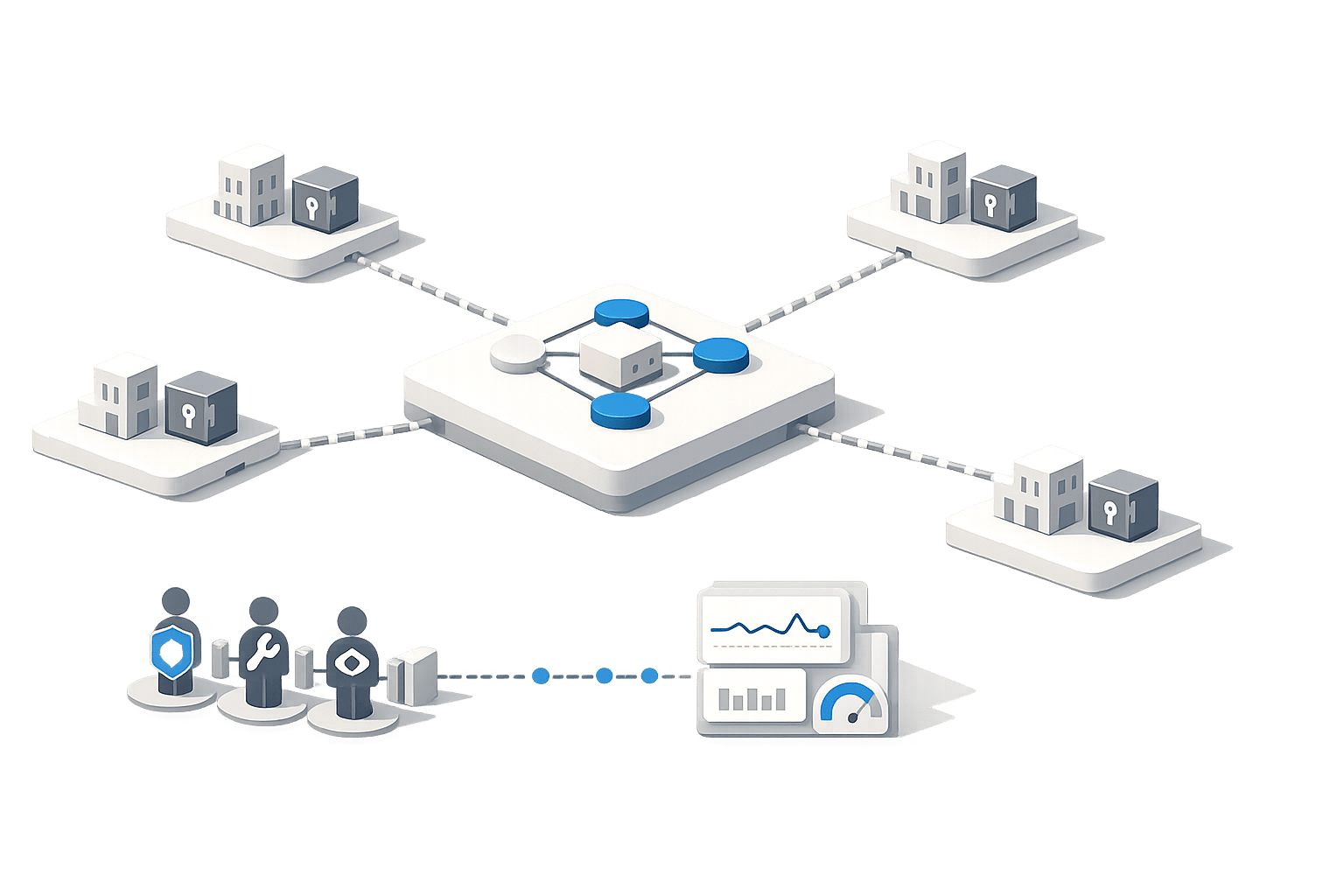
Multi-tenant internal automation shows up faster than most teams expect: one “workflow app” becomes the shared backbone for multiple customers, subsidiaries, regions, or business units. The hard part isn’t writing the automations—it’s making sure each tenant’s data, credentials, and operational blast radius stay isolated, while you still keep enough visibility to debug issues quickly.
This article lays out a pragmatic design for multi-tenant automations focused on three pressure points: per-tenant secrets, RBAC boundaries, and observability. The goal is to ship safely without needing a dedicated platform engineering team, while still leaving a clean path to stricter controls later.
Start with a tenant model that matches how you operate
Before choosing mechanisms, define what “tenant” means in your system and where boundaries must hold. Typical tenant axes include:
- External customers (true SaaS multi-tenancy)
- Internal business units (finance vs. operations)
- Regions (EU vs. US for data residency or compliance)
- Environments (dev/staging/prod) treated like tenants to prevent accidents
For internal automations, two models cover most needs:
- Hard isolation: each tenant has its own workspace/project and separate secrets, logs, and RBAC scope.
- Soft isolation: a shared workspace with tenant IDs in every run context; isolation is enforced by strict runtime checks and policy.
Hard isolation is easier to reason about and audit. Soft isolation can be more cost-efficient but requires deeper discipline.
Per-tenant secrets that don’t leak by default
Secrets handling is where multi-tenant systems most often fail in subtle ways: debug logs that print credentials, shared environment variables, or “temporary” admin access that becomes permanent. A robust approach is to assume secret exposure will happen unless the system makes it difficult.
Design pattern: secret namespaces per tenant
Use a deterministic namespace strategy and keep it boring. For example:
tenants/{tenant_id}/db_urltenants/{tenant_id}/stripe_api_keytenants/{tenant_id}/sso_client_secret
Then structure your automation runtime so scripts request secrets through a scoped API, not through global process env. The runtime should only materialize the specific secret values needed for that run, and only for the tenant the run is bound to.
Rotate and revoke like you mean it
Even if rotation is manual at first, design for it:
- Support multiple active keys per tenant for a transition window.
- Track secret version metadata (created date, last used date, owner).
- Make revocation fast—disable a single tenant’s credentials without impacting others.
A small but high-leverage practice: log “secret identifier used” (never the value). That gives you auditability without leakage.
Prevent cross-tenant secret access at the execution layer
Don’t rely solely on naming conventions. Enforce the tenant boundary where secrets are retrieved. The runtime should require a tenant_id that matches the run context and reject any request for a different tenant’s secret, even if the caller has broad permissions elsewhere.
RBAC boundaries that map to real operational roles
RBAC tends to break when it’s either too coarse (“admins can do everything”) or too complex (hundreds of permissions nobody understands). In multi-tenant automations, you want a small set of roles that align with how incidents and changes actually happen.
Establish a minimum viable role set
A practical baseline:
- Tenant Operator: can rerun jobs, view tenant-level logs, manage tenant-specific configs.
- Tenant Developer: can edit workflows/scripts that only operate within the tenant scope.
- Tenant Auditor: read-only access to runs, logs, and audit trails.
- Platform Admin: rare, tightly controlled; can create tenants and manage global policies.
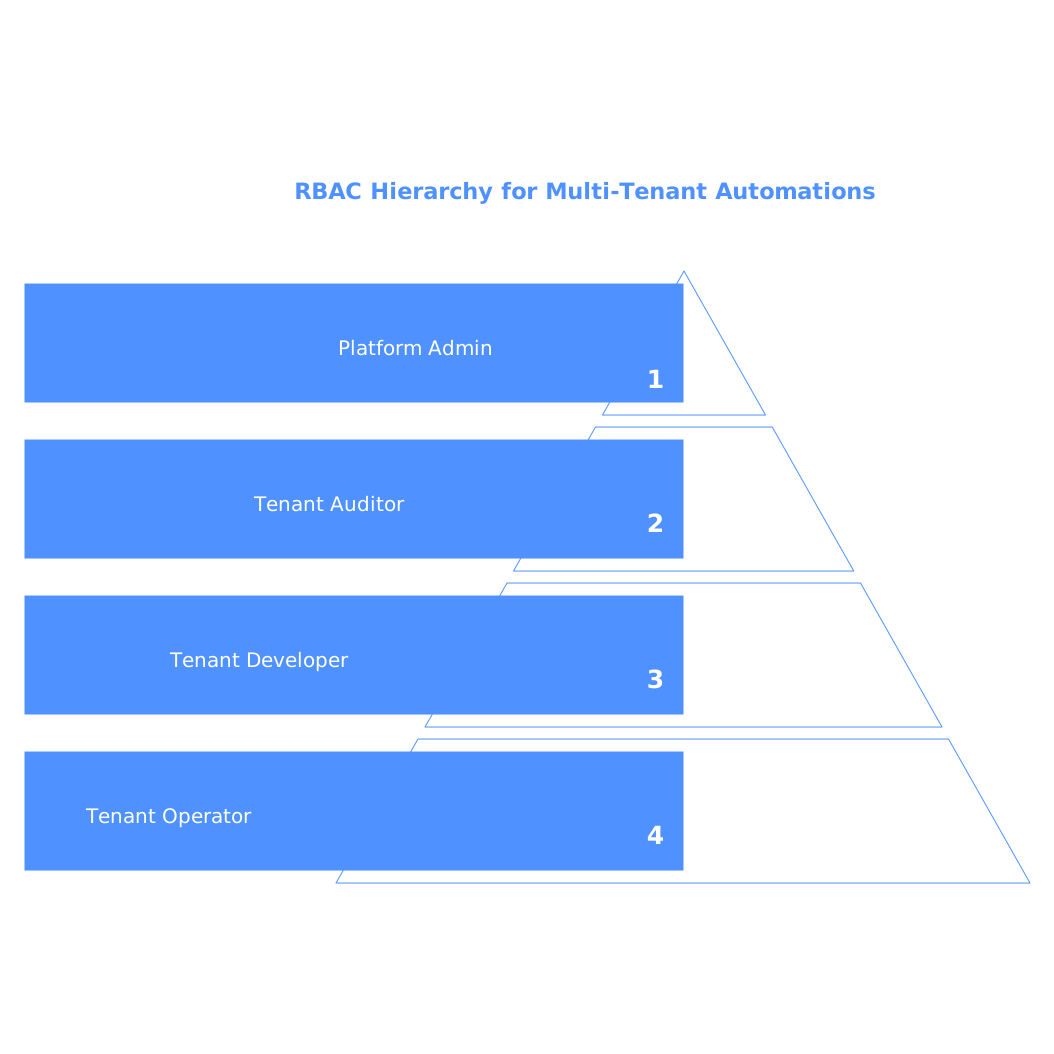
The key is that Tenant Operator/Developer permissions must not let someone read other tenants’ secrets or logs. A tenant-scoped “view” permission is still sensitive if logs may include payloads.
Enforce “tenant context” as a first-class constraint
RBAC checks should never be detached from tenant identity. A common failure mode is checking “user can run workflow X” but not checking “workflow X is being run for tenant Y and user is allowed for tenant Y.” Treat tenant membership as required input to every authorization decision.
Use least privilege for integrations and workers
Even with good user RBAC, integration accounts can become an escape hatch. Keep integration credentials tenant-specific where feasible. If you must share an integration across tenants (e.g., a shared data warehouse), reduce privileges and partition access via schema-level or row-level policies.
Observability without turning into a platform organization
Multi-tenant observability is less about collecting every metric and more about answering operational questions quickly:
- Which tenant is failing right now?
- Is the failure caused by code changes, credential changes, or upstream downtime?
- Can we see the exact run inputs/outputs without leaking sensitive data?
Log structure that scales with tenants
Make every log line and run record carry consistent tags:
tenant_idworkflow_id/script_idrun_idenvironmentactor(user/service)
Then decide what is safe to store long-term. For example, store full payloads only for short retention, redact by default, and make “show raw inputs” an explicit, audited action.
Traces and metrics: keep them tenant-aware
For workflows that call APIs, databases, queues, or downstream services, tracing becomes your fastest debugging tool—if spans include tenant tags. Metrics should also roll up by tenant, but with safeguards: high-cardinality labels can explode costs. A compromise is to aggregate per tenant for only key SLO metrics (error rate, latency, retries) and keep the rest per workflow or per worker group.
Alerting that avoids noisy global pages
Alerting is where teams accidentally build “platform complexity.” Instead of global alerts that fire for every tenant blip, route alerts based on responsibility:
- Tenant-specific alerts to the team owning that tenant relationship (or on-call rotation).
- Global alerts only for systemic issues (worker saturation, queue backlog, auth outage).
Also set a policy that every alert must include tenant_id, run_id, and a link to logs.
A practical reference implementation using a code-first automation platform
If you want to avoid assembling secrets storage, execution sandboxes, UI, RBAC, and observability from scratch, a code-first internal automation platform can provide the guardrails. For example, Windmill is designed for authoring scripts in real languages, chaining them into DAG workflows, and running them with built-in monitoring and security controls. That makes it a reasonable default when you need multi-tenant internal automations but don’t want a platform team just to operate the automation layer.
In practice, you can model tenants as separate workspaces or as a tenant identifier enforced at runtime, store tenant-specific credentials in a scoped secret manager, and use granular RBAC to control who can view runs, logs, and configurations. From an operations standpoint, it helps when logs and run metadata are accessible in one place and can be exported to standard systems like OpenTelemetry/Prometheus for teams that already have centralized observability.
When you’re ready to standardize, with Windmill, make the automation layer a “source of truth” for how tenant jobs run and who can touch them, rather than letting one-off cron jobs and ad-hoc scripts grow unchecked.
Common failure modes and the guardrails that prevent them
- Shared secrets via environment variables → use per-tenant secret namespaces and scoped retrieval.
- RBAC checks without tenant membership → authorization must require tenant context.
- Logs that leak payloads → redact by default, store identifiers, audit “view raw” actions.
- Alerts that page everyone → tenant-routed alerts; global alerts only for systemic health.
- “Temporary admin” access → time-bound elevation with audit trails and approvals.